- home>
- PREVIEW THE NEW CHANGES
PREVIEW THE NEW CHANGES
Your recently viewed items are displayed on our homepage
Our newly redesigned website will display your previously viewed components when you return to the MISUMI homepage.
This redesign will make it faster and easier for you to find the components you need right away.

More Features & Benefits
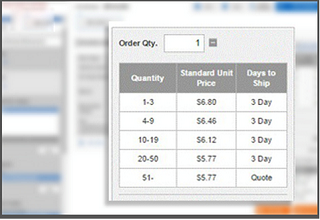
Volume Discounts & Price Breaks
Find discounts on your components quicker and easier. No minimum order, and you can see price discounts for large projects.
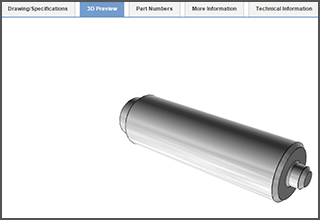
CAD Previews
One-click CAD download and CAD preview to view your fully configured part. You can quickly see if the configured part will work for your application.
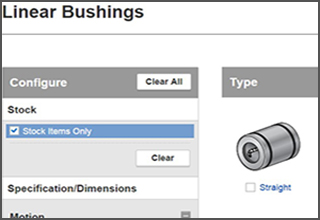
Stock Item Search
You can now include searches for Stock items when you are configuring your parts online. If you need components in a hurry, this is where to start.
Increase your displayed search results

If you're searching for products on our website and are using the webcode from our 2015 Pictorial Catalog,
don't forget to use the "#" before entering the webcode. Entering the "#" before the webcode will return products categories
and give your a larger selection of products to choose from. If you don't enter the "#" your search results will only return the
specific product corresponding to the webcode entered.
Product Search FAQs
I've clicked on Part Number Checker and the price doesn't come up. Is it not a good part number?
The part number checker only allows you to make sure you have a correct part number. If you need pricing or delivery, you can click "Quote".
How can I find a particular part?
There are three ways to look up a part in our catalogs: by product name(s) or keyword(s) and part number. If you are using our on-line catalog, type in the product name(s) or keyword(s), or MISUMI part number in the search field on the left. You can also ask for assistance by calling our customer service at 1-800-681-7475.
I'm trying to search the part number stub and it's not working. Am I doing something wrong?
No. MISUMI has a few categories: Automation Components, Press/Die and Plastic/Mold. If your search is not working, click on the appropriate divisions.
What if I go to "Order Now" to place an order and there is an error?
If you place an order without quoting first and there is a part number error, the customer service department will be notified and we will email you with any questions.
Your comments help us improve our website. Give feedback