
Notification
MISUMI has users reporting an issue not allowing them to complete the checkout process past our Specify Shipping selection menu when signed in using the Last Pass Google Chrome Plugin.
Please attempt the following steps as a temporary solution while we resolve this issue:
1) Disable Chrome plugin
• Click Extensions in Chrome Browser
• Navigate to Manage Extensions at bottom of drop down menu
• Locate Last Pass and click the radio button to disable
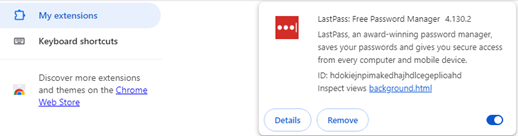
2) Login using Incognito mode
Chrome documentation: https://support.google.com/chrome/answer/95464?hl=en&co=GENIE.Platform%3DDesktop
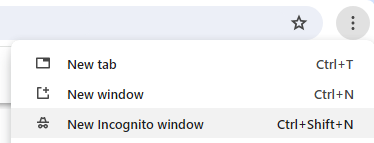
• At the top right, click More 
• A new window appears. In the top corner, check for the Incognito icon 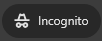
3) Use an alternate Web Browser, like Microsoft Edge or Mozilla Firefox
4) If these steps fail to fix the issue, please contact our Customer Service Team
• Email: inquire@misumiusa.com
• Phone: (800) 681-7475